

How FoQus works
From opening the app to getting back to your day. Keep the suggested setup and begin straight away, or adjust each step.
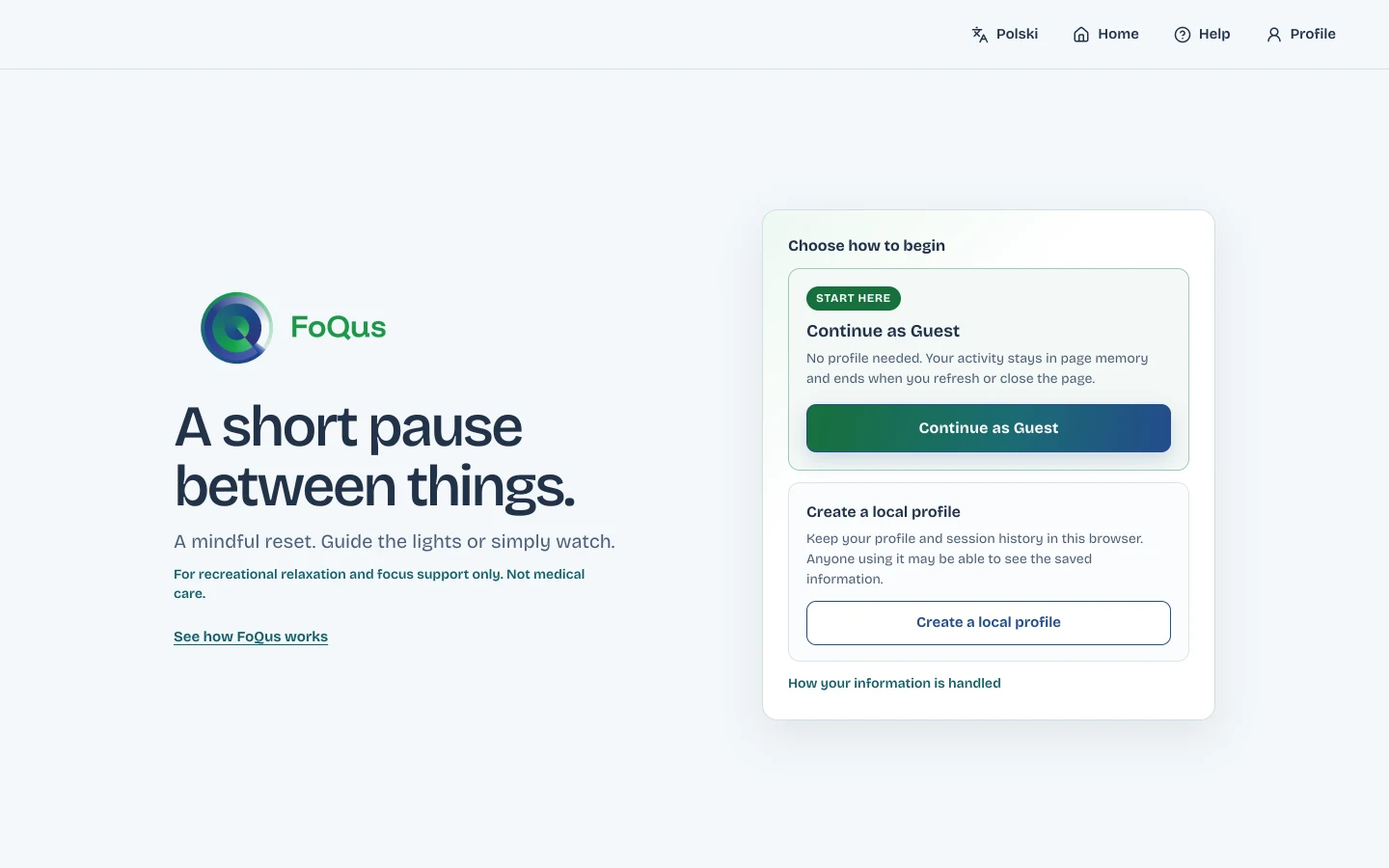
Open FoQus and choose how to continue
Continue as a guest, or create a profile on this device.
- Guest needs nothing from you. When you close the page, the session is gone.
- Local profile takes a nickname and remembers your choices, minutes and history in this browser.
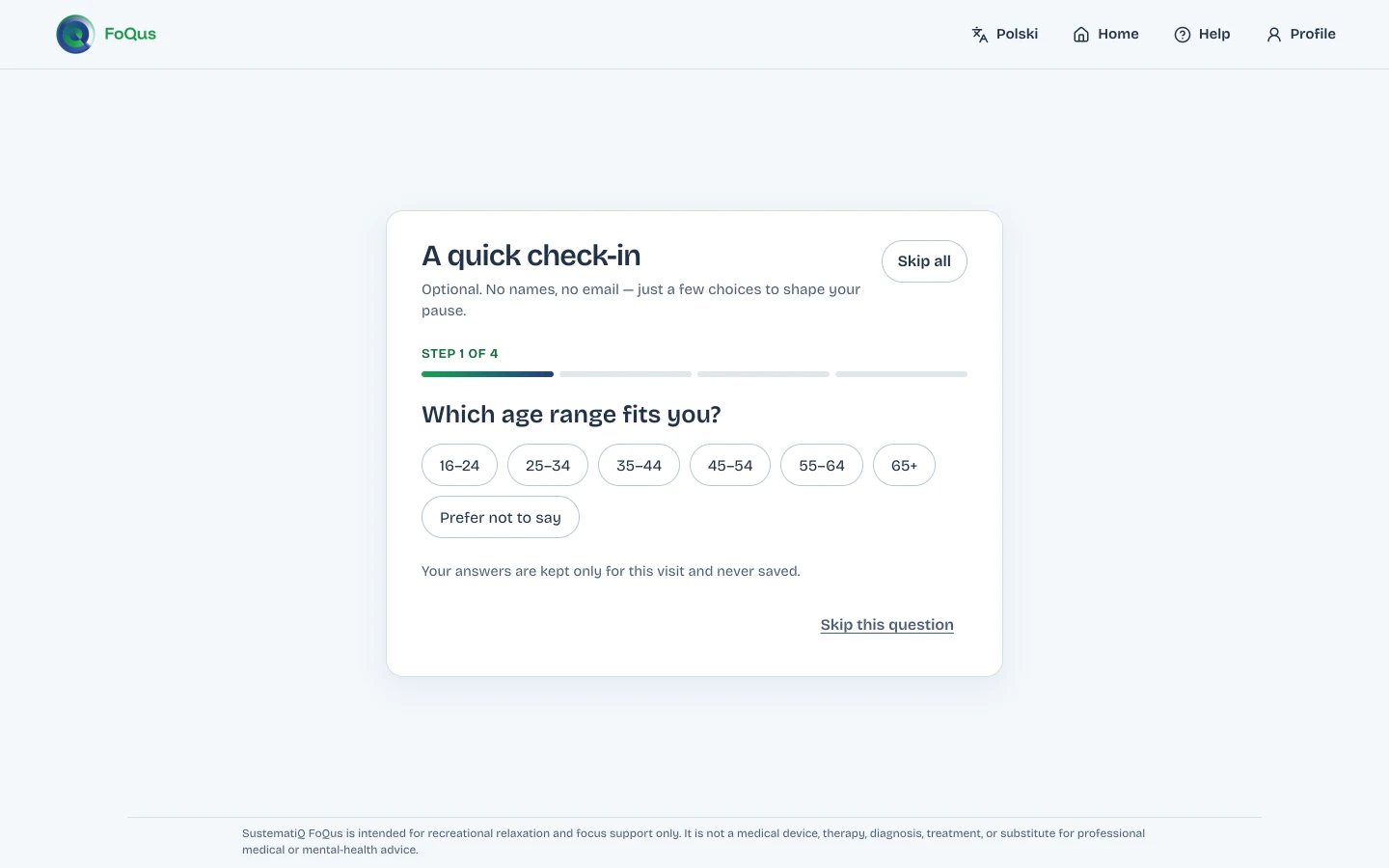
Answer a quick check-in, or skip it
Four optional questions, one at a time: your age range, what brings you here, your experience with mindfulness and how full your mind feels. Each answer is a broad choice. You can skip one question or all of them.
The check-in never asks for your name or contact details.
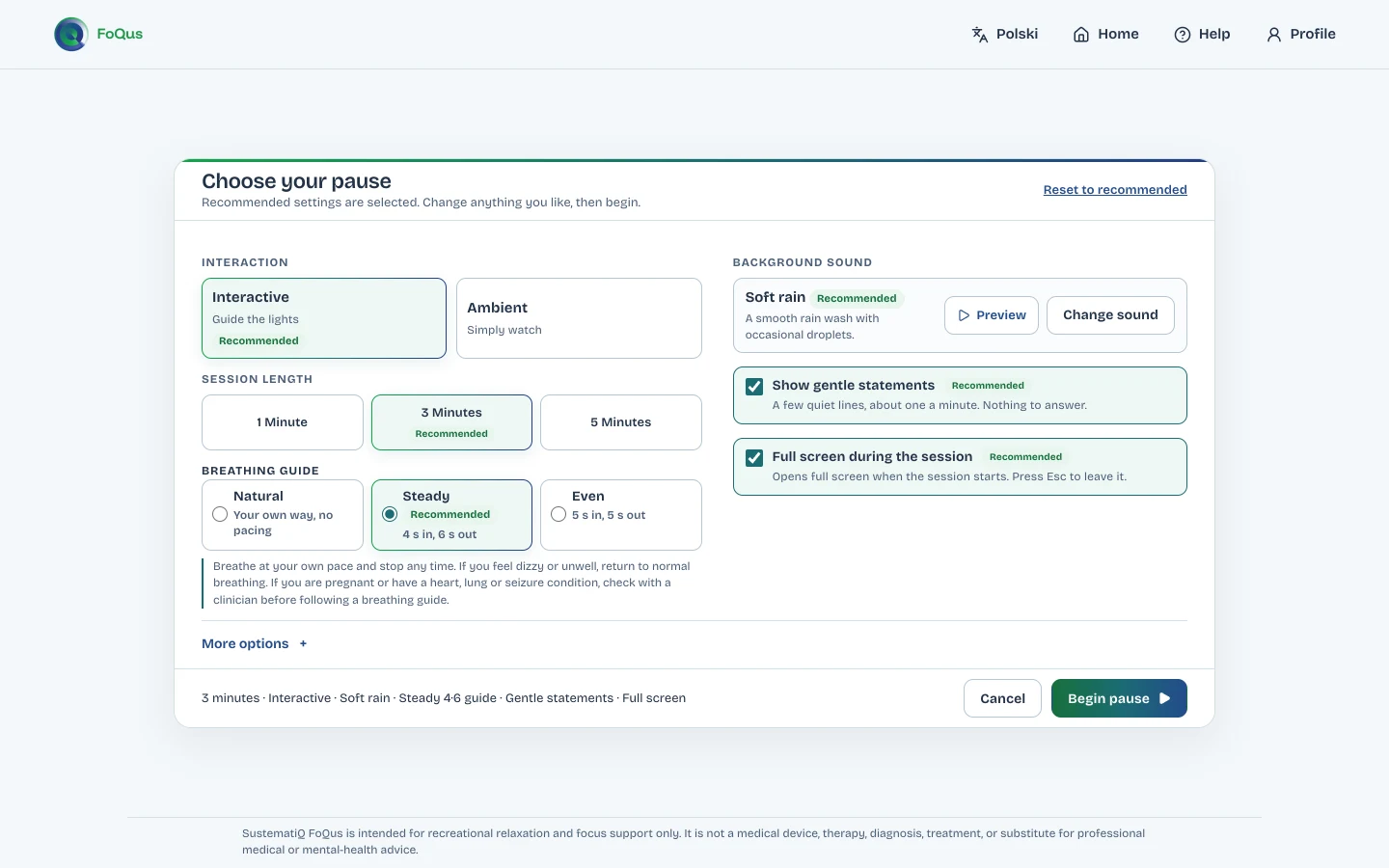
Set up your pause
The suggested setup is already selected. Press Begin pause to use it, or change any of these:
- Length: 1, 3 or 5 minutes
- Mode: Interactive (guide the lights) or Ambient (simply watch)
- Breathing guide: Natural, Steady 4·6 or Even 5·5
- Sound: one of 15 background sounds or Silent, each with a preview
- Gentle statements and full screen, on or off
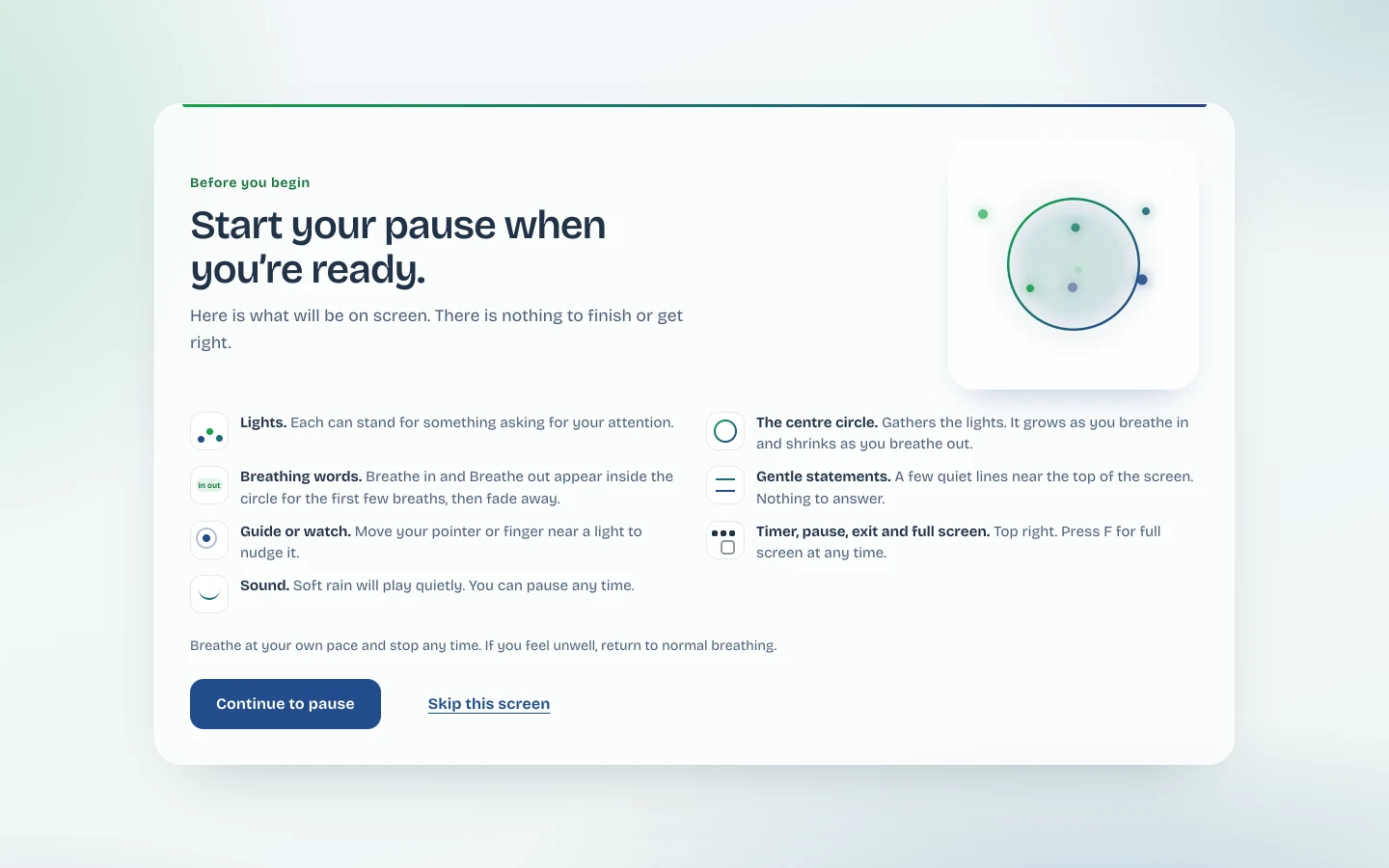
See what is on screen, the first time
Before your first pause, a short guide explains the lights, the centre circle, breathing words, statements and the controls. Read it, or skip straight to the pause. Later visits show a shorter arrival screen instead.
Take the pause
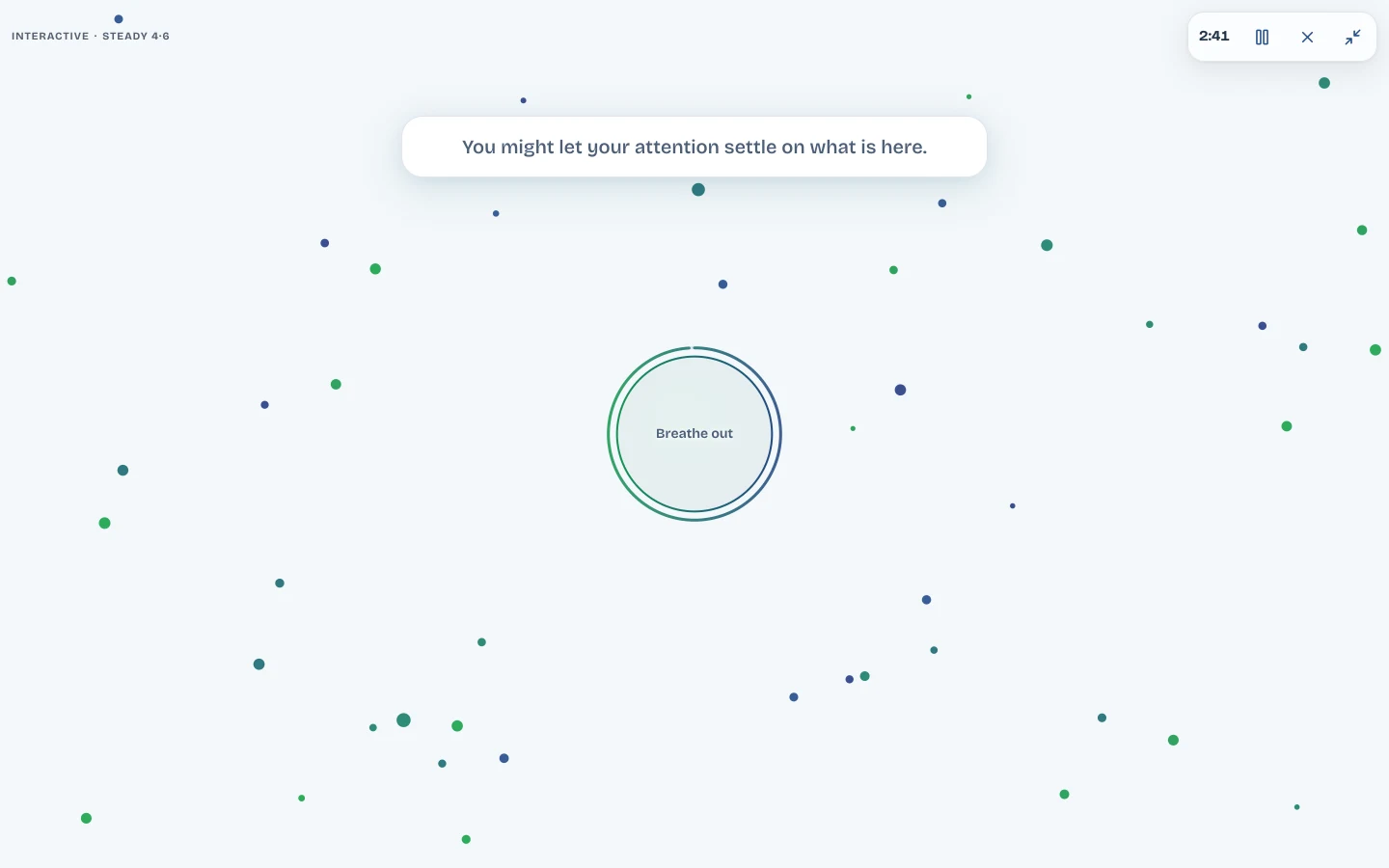
Soft lights drift across the screen. In Interactive mode, move your pointer or finger near a light to nudge it towards the centre circle. The circle grows as you breathe in and shrinks as you breathe out, following the guide you chose.
If statements are on, a short line appears now and then. There is nothing to answer and nothing to finish.
Finish your way
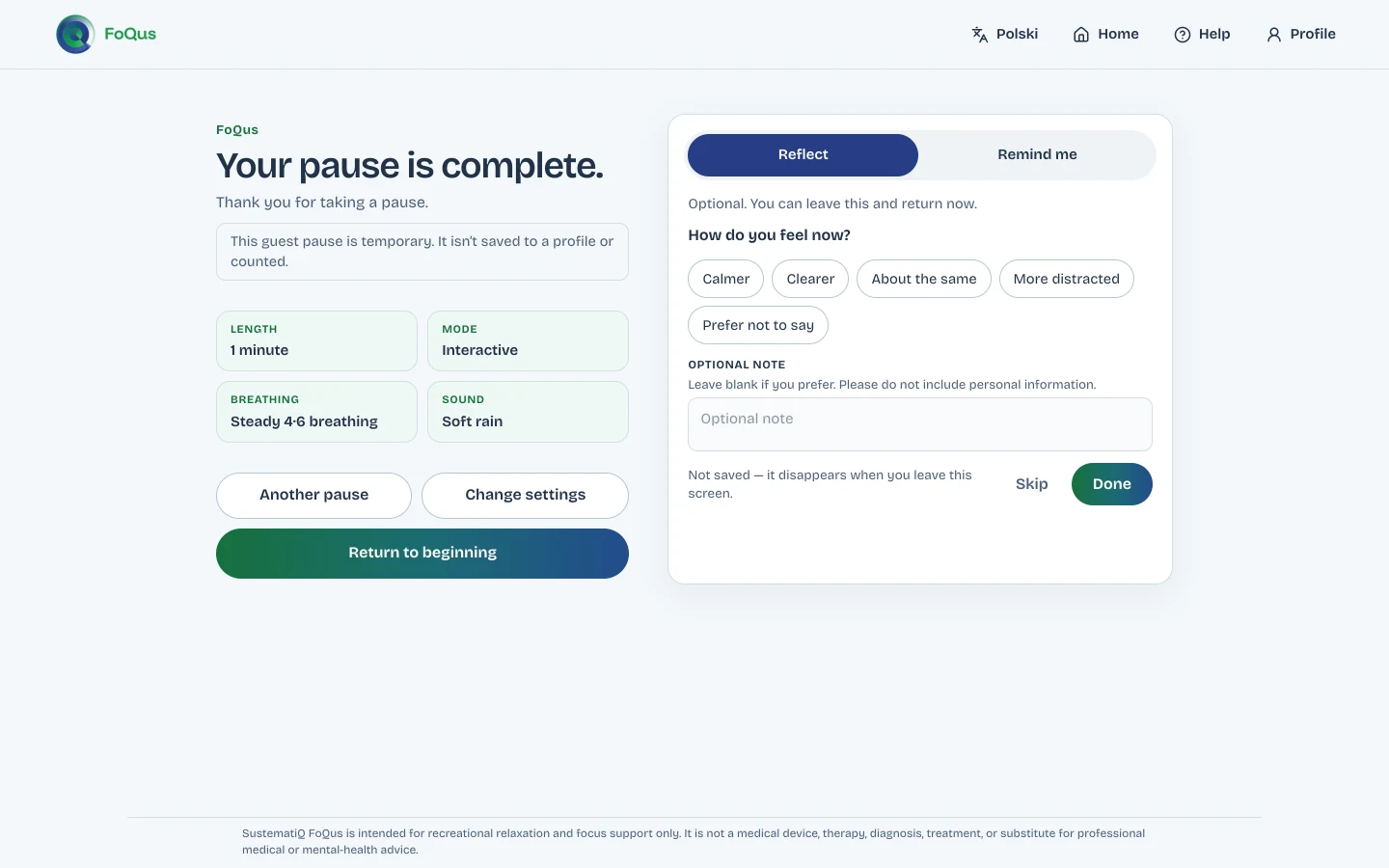
When the timer ends, you see a short summary of the pause. Then, if you want to:
- Refleksja: say how you feel now, with an optional note
- Przypomnienie: add a reminder to your calendar for tomorrow, in three days or next week
- Another pause, Change settings or Return to beginning
Controls during a session
The controls sit in the top-right corner of the screen and stay out of the way.
| Control | What it does | Keyboard |
|---|---|---|
| Pause | Pauses the timer, the lights and the sound until you resume. | Tab to the button, then Enter |
| Full screen | Fills the screen, or returns to the window. | F to switch, Esc to leave |
| Exit | Ends the session early and shows how long you stayed. Ending early is fine. | Tab to the button, then Enter |
| Keyboard guidance | Shows buttons to select a light and guide it to the circle without a pointer. | Appears when you press Tab or an arrow key |
The suggested setup
If you are not sure where to start, the suggested setup is selected for you on every first visit.
With a local profile, FoQus offers your last choices next time instead.
| Length | 3 minutes |
|---|---|
| Mode | Interactive |
| Breathing guide | Steady 4·6 |
| Sound | Soft rain, with a gentle bell when a light reaches the circle |
| Gentle statements | On |
| Full screen | On |
FoQus is in closed alpha.
Request a place through SustematiQ. Every request is reviewed by a person, and places are limited.